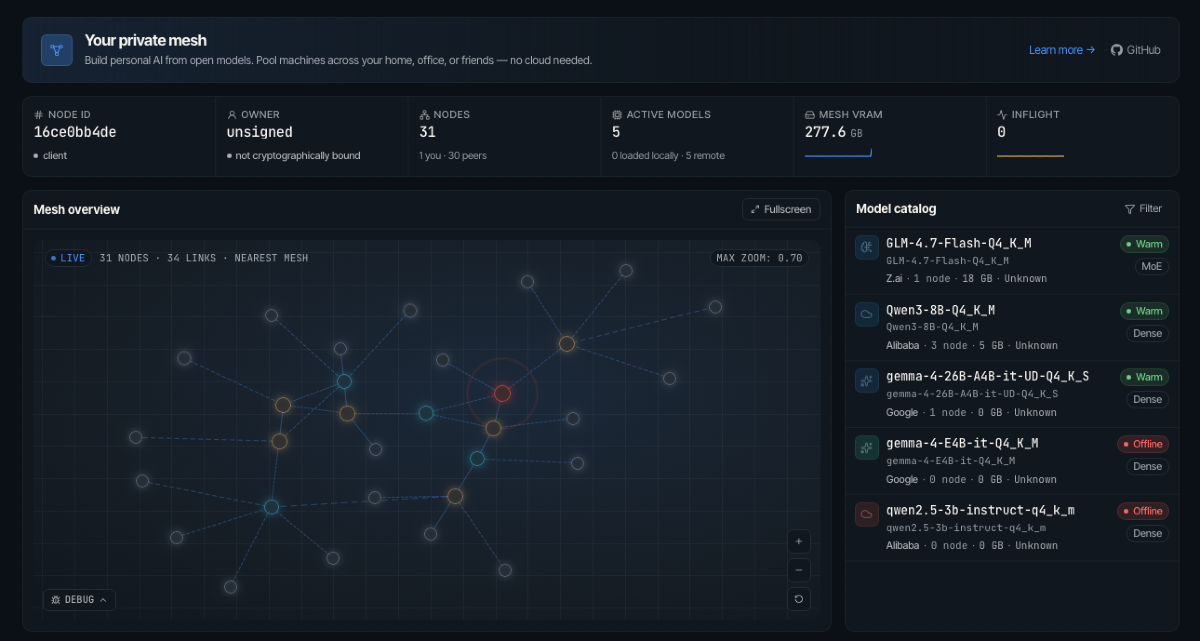
Running large language models locally is getting more interesting — and more constrained — by the day. A 70B-parameter model won't fit on a single consumer GPU, and even professional setups regularly run out of VRAM for the biggest open-weight models. Mesh LLM is an open-source project that takes a different approach: instead of optimizing for one machine, it pools GPUs and memory across machines and exposes the whole cluster as a single, OpenAI-compatible API endpoint at http://localhost:9337/v1.
The result is a runtime where you can start with one node today, add more nodes later, and let the mesh decide whether a model runs locally, routes to a peer, or gets split across machines using its Skippy stage-split system. Here's how it works — and how to get started.
What Is Mesh LLM?
Mesh LLM is a distributed inference runtime for GGUF-format models. It wraps the complexity of cross-machine model serving behind a familiar API surface: anything that speaks OpenAI's /v1/chat/completions format works with it out of the box, including Goose, OpenCode, Claude Code, and curl.
Its three core ideas are:
- Mesh routing: Every node exposes the same
/v1API. Requests are routed by themodelfield to whichever peer can serve that model. If a model fits on one machine, it stays there; otherwise, it's distributed. - Skippy stage splits: Large dense models are broken into contiguous layer ranges (stages) and spread across multiple nodes. The coordinator plans the stage layout, starts downstream stages first, waits for readiness, then publishes the stage-0 route. Only the model layers each node needs are fetched.
- Public and private meshes: You can join an existing public mesh with
--auto, create a private mesh with an invite token, or publish your own. Public meshes use Nostr for discovery; private meshes are invite-token based.
Quick Start: Up and Running in Minutes
Installation is a single curl command on Linux/macOS:
curl -fsSL https://raw.githubusercontent.com/Mesh-LLM/mesh-llm/main/install.sh | bashOn Windows PowerShell:
irm https://raw.githubusercontent.com/Mesh-LLM/mesh-llm/main/install.ps1 | iexAfter installation, run the setup wizard:
mesh-llm setupThen join the public mesh and start serving:
mesh-llm serve --autoThat single command picks a backend, downloads a suitable model if you don't have one, joins the best available public mesh, starts the local API on port 9337, and opens the web console on port 3131. For headless server deployments, add --headless to suppress the web UI while keeping the management API alive.
Verify available models and send your first request:
# List available models
curl -s http://localhost:9337/v1/models | jq '.data[].id'

# Send a chat completion
curl http://localhost:9337/v1/chat/completions \
  -H "Content-Type: application/json" \
  -d '{"model":"GLM-4.7-Flash-Q4_K_M","messages":[{"role":"user","content":"hello"}]}'
Workflow Cheat Sheet
Mesh LLM covers a range of deployment patterns through simple CLI flags:
- Try the public mesh:
mesh-llm serve --auto - Start a private mesh:
mesh-llm serve --model Qwen3-8B-Q4_K_M - Publish your own mesh:
mesh-llm serve --model Qwen3-8B-Q4_K_M --publish - Join by invite token:
mesh-llm serve --join <token> - Run an API-only client:
mesh-llm client --auto - Split a large model across nodes:
mesh-llm serve --model hf://meshllm/<repo>@<rev> --split
Skippy Stage Splits: Running Models Too Big for One Box
The most technically interesting part of Mesh LLM is its Skippy runtime. When a model's full GGUF is too large for any single node — like DeepSeek3 or EXAONE-MoE — Skippy splits it into package-backed layer stages. Each package repository contains a model-package.json file plus GGUF fragments, so peers only fetch the slices needed for their assigned stage.
The coordinator plans contiguous layer ranges, starts downstream stages first (so data flows properly), waits for each to signal readiness, then publishes the stage-0 route. The calling node sees a single, transparent inference endpoint regardless of how many machines are doing the work underneath.
Split multimodal serving is certified for Qwen2-VL, Qwen3-VL, Qwen3-VL-MoE, HunyuanOCR/Hunyuan-VL, and DeepSeek-OCR using real GGUF plus projector fixtures.
Mixture-of-Agents Gateway (Experimental)
One of the more novel features is the Mixture-of-Agents (MoA) gateway, activated by setting "model": "mesh" in your request. Instead of routing to one model, the proxy fans the prompt out to every model available in the mesh in parallel, arbitrates the responses with deterministic logic, and returns one OpenAI-compatible reply.
curl http://localhost:9337/v1/chat/completions \
  -H "Content-Type: application/json" \
  -d '{"model":"mesh","messages":[{"role":"user","content":"What is the capital of Japan?"}]}'
The arbiter runs in code — not as another model call — and only escalates to a reducer LLM when there's a genuine conflict between responses. Tool calls flow through the full pipeline. The project marks this as experimental and recommends using a specific model ID when stable semantics matter. It requires at least two distinct models in the mesh.
Model Family Support
Mesh LLM's Skippy runtime tracks llama.cpp family parity across a wide set of reviewed GGUF models. The current support set covers 72 P0/P1 family rows, with 89 certified rows in the full parity inventory. Supported families include:
- Qwen, Llama, Gemma, Mistral, DeepSeek, GLM, MiniMax
- Phi, Granite, Hunyuan, EXAONE, Cohere, Falcon, RWKV
- And many more — see
docs/skippy/FAMILY_STATUS.mdin the repo for the full matrix
Platform and Build Support
Tagged releases ship prebuilt bundles for a broad range of targets:
- macOS (Metal, CPU)
- Linux CPU, Linux ARM64 CPU, Linux ARM64 CUDA
- Linux CUDA, Linux CUDA Blackwell, Linux ROCm, Linux Vulkan
- Windows CPU, Windows CUDA, Windows ROCm, Windows Vulkan
To build from source, clone the repo and run just build. Source builds require just, cmake, Rust, and Node.js 24 + npm. CUDA builds need nvcc, ROCm builds need ROCm/HIP, and Vulkan builds need Vulkan dev files plus glslc.
Mesh LLM also ships with release attestation for packaged executables. You can verify a binary with:
cargo run -p xtask -- release-attestation inspect \
  --binary <path-to-packaged-mesh-llm> \
  --public-key-file <release-signing-public-key.json>
A packaged binary reports valid, an unstamped local build reports missing, and a binary modified after packaging reports invalid.
Agent Integrations
Mesh LLM has first-class CLI wrappers for popular agentic tools. If you use Claude Code, Goose, OpenCode, or Pi, you can wire them to your mesh with a single command:
mesh-llm claude— wire Claude Code to your mesh endpointmesh-llm goose— integrate with the Goose agentmesh-llm opencode— integrate with OpenCodemesh-llm pi— integrate with the Pi assistant
This pairs naturally with the agentic engineering workflows covered in our 6-month Agentic AI Engineer roadmap — Mesh LLM can serve as the local inference backbone for agents you're building across each of those stages.
How Mesh LLM Compares to Running a Single Local Model
Most local LLM setups — like the single-file C inference engine we covered in colibri's approach to running a 744B MoE model on 25 GB of RAM — optimize heavily for single-machine efficiency. That's the right call when you have one well-specced machine. Mesh LLM is the complement to that: it's the right tool when you have multiple machines, a model that won't fit on any one of them, or you want to aggregate spare GPU capacity across a team or homelab.
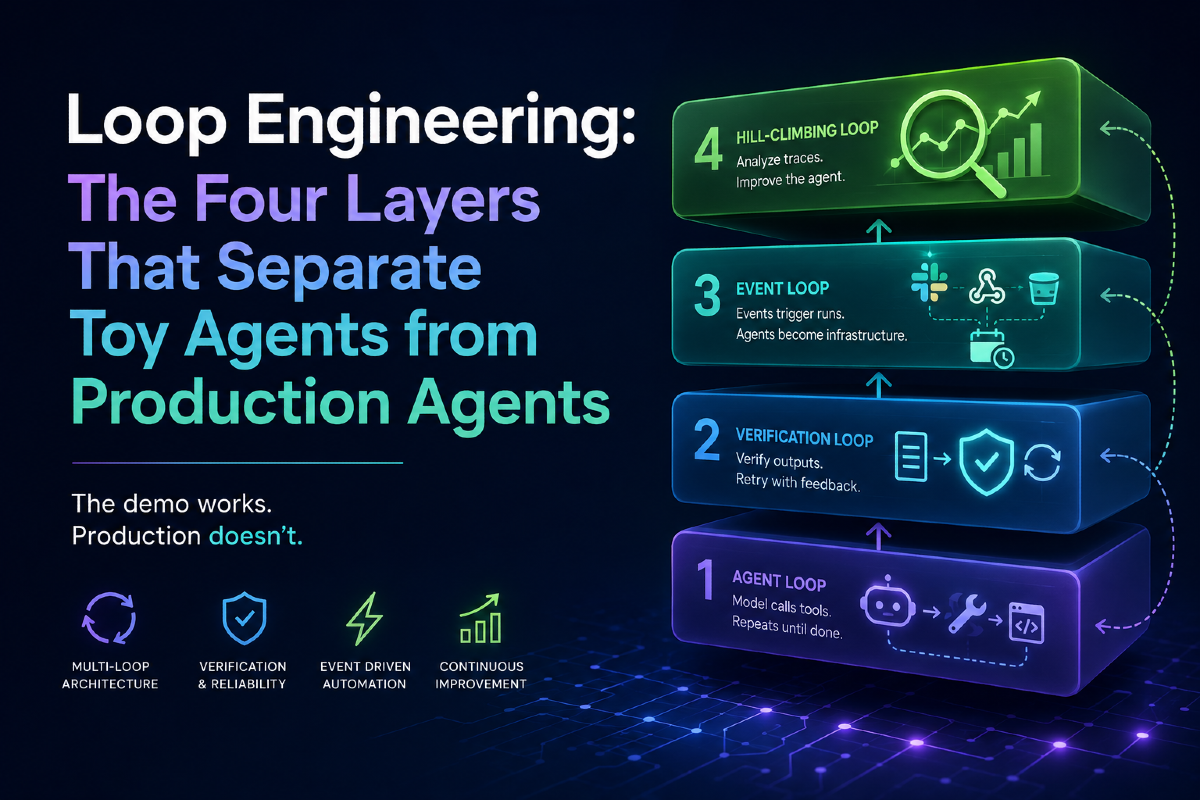
If you're building production AI agents rather than running one-off inference, the infrastructure layer matters enormously — as explored in Loop Engineering: The Four Layers That Separate Toy Agents from Production Agents. Having a reliable, OpenAI-compatible local inference endpoint — one that can transparently scale across machines — removes a significant reliability bottleneck from the agent loop.
Getting Started
Mesh LLM is experimental distributed-systems software. The team asks that bug reports include the command you ran, platform and backend flavor, /api/status output if available, and whether the node was private, published, or joined with --auto.
The project is open-source and available at github.com/Mesh-LLM/mesh-llm. Full documentation lives in the docs/ folder, with docs/MESHES.md, docs/SKIPPY_SPLITS.md, and docs/CLI.md being the most useful starting points.
If you've been waiting for a clean, OpenAI-compatible way to pool your local GPU resources without managing a full orchestration stack, Mesh LLM is worth a close look.