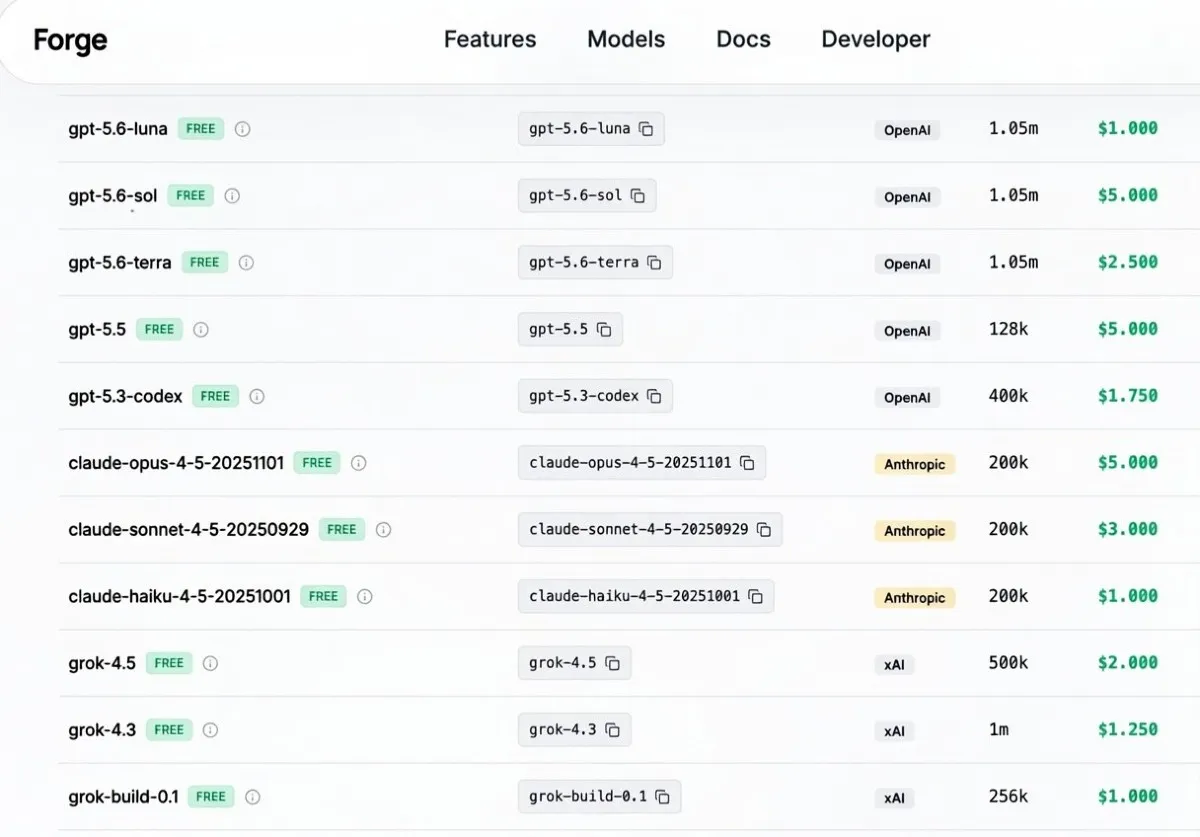
Forge AI is handing out roughly $50–60 in free starter credits to every new signup — no credit card required. One API key, one base URL, and you can start sending prompts to GPT-5.6, Grok 4.5, Kimi K3, and GLM 5.2 without opening a single provider dashboard. For developers who want to compare frontier models on their own prompts before committing to a paid tier, that's a meaningful head start.
What You Get on Signup
Register at Forge AI and your dashboard will show your starter balance — confirm the exact figure there, as the promotional amount can vary. From that point, the setup is three steps: copy your API key, grab the model ID from the Models tab, and set your base URL to forge-gateway-api.fly.dev/v1. That's the same structure as the OpenAI API, so it drops straight into Cursor, Claude Code, Aider, or any agent framework without additional configuration.
The model catalog covers the models generating the most developer interest right now. GPT-5.6 and Grok 4.5 represent the current frontier from OpenAI and xAI. Kimi K3 — Moonshot AI's 2.8-trillion-parameter open-weight model — has been one of the most requested models for API access since its launch, with Moonshot's own subscription waitlist filling up within 48 hours of release. GLM 5.2 from Zhipu rounds out the lineup. Running all four on the same prompt set from a single interface, with a single key, would otherwise require four separate accounts and four billing setups.
This is the same pattern that made ZenMux popular when it added Kimi K3 to its free tier, and that drove sign-ups on TokenRouter when it offered GLM-5.2 free shared-tier access. Zyloo took a similar approach with time-limited windows, including one that made 10 million Kimi K3 tokens free for 7 hours. Forge's starter credit model is more open-ended — the balance is yours to use across whichever models and call volumes make sense for your experiments.
How to Claim and Start Testing
The process takes around three minutes. Sign up at forge-ai.space, check your dashboard to confirm the credit balance, copy your API key, and open the Models tab to get the exact model ID string for whichever model you want to test first. Set forge-gateway-api.fly.dev/v1 as your base URL, paste in your key, and send a short test call before running any longer agent loops — that confirms the routing is working and gives you a reference output to compare against.