Signal Blocks Siri AI and Gemini From Screenshotting Chats, but macOS Is Still Wide Open
Signal now blocks AI agents from screenshotting its chats on iOS 27 and some Android phones, but macOS stays unprotected and Signal calls the fix incomplete.
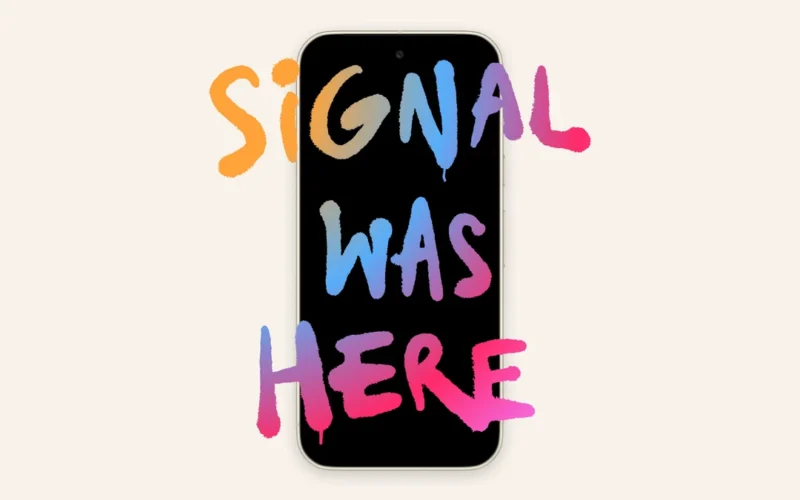
Signal started blocking operating-system AI agents from capturing its chats on 20 November, adding screenshot protection on iOS 27 and automatic screen protection on Android when the app detects an assistant trying to read the display. The nonprofit messaging app says the change is meant to keep Siri AI and Google Gemini from pulling encrypted conversations into an agent’s context.
The trigger is a platform shift. Apple’s Siri AI now has onscreen awareness, and Google’s Gemini app can use what is visible on a phone screen as chat context. Both features are useful. Both also sit outside the end-to-end encryption that Signal has spent a decade defending, because the data is read after it has been decrypted for display.
The catch is in Signal’s own footnotes. The block does not cover macOS, depends on detection on Android, can be switched off by the user, and leaves other data paths open. Signal calls the fix incomplete. That word matters more than the headline.
Quick answer: Signal now blocks screenshot capture of its chats on iOS 27 and, where it can detect an AI assistant reading the screen, on Android. It does not protect Signal on macOS, cannot stop every data path, and lets users disable the block. The change closes one route into OS-level AI agents. It does not restore a full privacy guarantee.
What Signal actually changed
On iPhone, Signal prevents screenshots inside the app on iOS 27. The company’s settings screenshot shows a new “Block Siri AI” toggle. That is a blunt instrument: it also stops ordinary screenshots, which is why Signal lets people turn it off.
On Android, the mechanism is different. Signal cannot reliably tell when a screenshot was attempted if screenshots are already disabled on some vendor builds. So it watches for an AI assistant trying to access the screen and then automatically switches on its existing “Screen security” setting.
It is the third platform where Signal has used screen protection against an AI feature, after doing the same on Windows 11 against Microsoft Recall in May 2025.
The gaps Signal admits
macOS gets nothing. Signal says it cannot reliably block screenshots there because Apple’s documented tools do not allow it. Its only advice for macOS 27 users is to add Signal to the Excluded Apps list under System Settings and Siri.
Android coverage is conditional. Signal says that for many device vendors it has no reliable way to detect a screenshot attempt when screenshots are already blocked. The protection therefore depends on detecting the assistant, not on a guaranteed platform control.
Filesystem access is untouched. Signal says restricting screenshots does not address other ways an agent could reach app data, including content already on the device. The block is aimed at the screen, not at the storage layer.
Users can also opt out. Disabling the protection is a deliberate choice inside Signal’s settings, and the app warns that doing so can expose both the user and everyone in the conversation.
What Apple and Google say they do
Apple’s September launch post for Siri AI describes onscreen awareness as the ability to answer questions or take actions related to content on the screen. The same post says Apple Intelligence uses on-device processing and Private Cloud Compute, and that personal data is not stored or made accessible to Apple when Private Cloud Compute handles a request.
Google’s help page for Gemini screen actions is more explicit about the upload. It says that when a user taps a suggestion, Gemini may upload the information on the screen or in the file for context. It also documents an Intelligent Screen Context setting that lets Gemini decide when to use what is visible.
Signal’s post goes further than either company’s documentation. It says Signal data is “captured, stored, and made accessible to whatever local database or remote server an OS-level AI agent is using at that moment.” Signal does not publish evidence that Apple or Google retain Signal content, and Apple’s privacy claim points the other way. Treat the storage claim as Signal’s characterization of the risk, not as a confirmed finding about either vendor.
How the protection compares by platform
| Platform | What Signal does | What remains exposed |
|---|---|---|
| Windows 11 | Screen security on by default since 21 May 2025, using a DRM flag | Non-screenshot capture routes and any user who disables it |
| iOS 27 | Blocks screenshots in the app and adds a “Block Siri AI” setting | User can disable it; filesystem and other data paths are not addressed |
| Android | Automatically enables Screen security when assistant screen access is detected | Devices where detection fails; vendor builds vary; user can disable it |
| macOS 27 | No in-app block; recommends excluding Signal from Siri manually | Screenshots and agent screen access remain possible |
Confirmed versus not confirmed
| Claim | Status | Basis |
|---|---|---|
| Signal blocks screenshots on iOS 27 and auto-enables protection on Android | Confirmed | Signal blog, 20 November 2026 |
| Signal has no equivalent block on macOS | Confirmed | Signal blog footnote 3 |
| Siri AI has onscreen awareness and Gemini can use screen content | Confirmed | Apple Newsroom, 14 September 2026; Google Help Center |
| OS agents store Signal chats in databases or remote servers | Not confirmed | Signal’s assertion; Apple says Private Cloud Compute does not store personal data |
| The block stops every way an AI agent can reach Signal data | Not confirmed | Signal says filesystem access remains unaddressed |
| Every Android phone gets the protection | Not confirmed | Signal says detection is unreliable on some vendor builds |
Why the operating system is the real battleground
Signal’s complaint is not really about Siri or Gemini. It is about who controls the layer beneath every app. The company argues that Apple, Google, and Microsoft can read app content through system features and give developers no clean way to opt out without breaking the app.
Its two requests are modest: a documented way for an app to opt out of AI data access across screen reading, filesystem access, notifications, and APIs, plus real documentation of how these agents work. Signal says it spent months on forensic work across Android and iOS because the public specifications are thin.
There has been one smaller victory. The EFF documented in October that users can now exclude apps from Siri AI, which Signal cites as evidence that pressure works. A user-level toggle is still not an app-level guarantee.
Meta’s Muse gets a mention too. Signal warns that third-party agents can lean on accessibility permissions that were designed for people with disabilities, turning a legitimate tool into a skeleton key. That concern is broader than the screenshot block and has no technical fix in Signal’s post.
What it means for Indian developers
India is an Android-first market, and Signal’s Android protection is the least deterministic part of its announcement. It depends on detecting assistant screen access, which Signal says it cannot do reliably across vendor builds. Developers testing privacy claims on a Xiaomi, Samsung, or Vivo device should not assume the same behaviour they see on a Pixel.
The practical lesson is to stop treating the operating system as a trusted boundary. If an app holds sensitive content, assume any screen an agent can read will be read, and keep secrets out of rendered views wherever possible. Signal’s fix is a patch over a platform gap, not a pattern other apps can copy without the same trade-offs.
There is also a product risk. People who need screenshots for support, accessibility, or record keeping will disable the block. Teams shipping a similar control should explain that trade-off plainly rather than bury it in settings.
FAQ
Does Signal block screenshots on iPhone?
Yes, on iOS 27. Signal prevents screenshots inside the app and exposes a “Block Siri AI” setting. Users can turn the protection off.
Can I still take a screenshot of a Signal chat?
Only if you disable the protection in Signal’s settings, which warns that this may expose your messages and your contacts’ messages to OS-level AI agents.
Is Signal protected from Siri AI on Mac?
No. Signal says it cannot reliably block screenshots on macOS. Its recommendation is to add Signal to the Excluded Apps list in System Settings under Siri.
Does this stop Gemini or Siri from reading my messages?
It stops the screen capture route on supported platforms. It does not stop every route, and Signal explicitly says filesystem access is not addressed.
Which Android phones get the protection?
Signal enables it when it detects an AI assistant attempting to access the screen. On devices where that detection is unreliable, Signal says it cannot guarantee the block.
Sources
- Signal, “Signal is Serious About Protecting Your Privacy,” 20 November 2026. signal.org/blog/protecting-your-privacy
- Signal, “By Default, Signal Doesn’t Recall,” 21 May 2025. signal.org/blog/signal-doesnt-recall
- Apple Newsroom, “Siri AI, a profoundly more capable and personal assistant powered by the next generation of Apple Intelligence, is here,” 14 September 2026. apple.com/newsroom
- Google Help Center, “Use screen actions to chat with the Gemini mobile app,” accessed 21 November 2026. support.google.com/gemini
- EFF, “Victory: You Can Now Exclude Apps from Siri AI,” October 2026. eff.org/deeplinks
Related coverage on AI Magazine: Meta’s Muse models and their missing details, 1,465 exposed ARTEX consoles, and ChatGPT Wallet and agent payments.