Free Perplexity Pro via Airtel Is Ending: How to Avoid Surprise Renewal Charges
Free Perplexity Pro via Airtel is ending for early claimants. Learn how to check your paused status and cancel before surprise renewal charges occur.
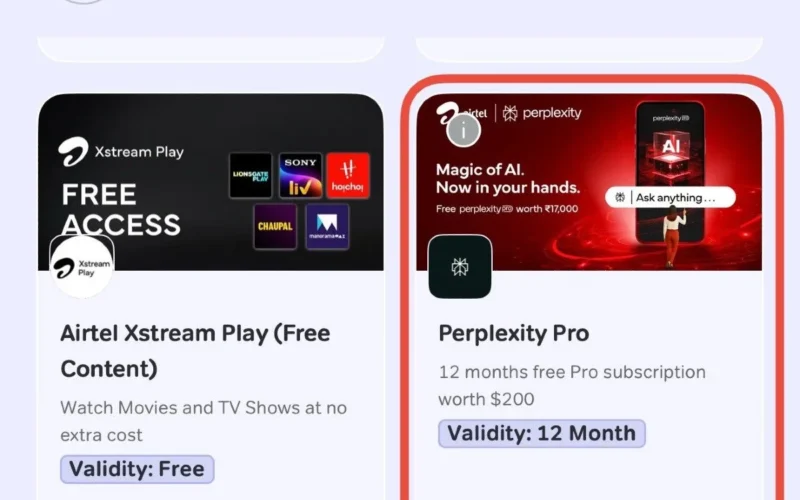
Free Perplexity Pro via Airtel Is Ending Soon
Free Perplexity Pro via Airtel is ending for millions of early claimants. In July 2025, eligible customers received 12 months free through the Airtel Thanks app. However, that promotional year is now expiring for the first users.
This subscription normally costs around ₹17,000 annually. The offer officially closed to new claims on January 16, 2026. Therefore, early adopters must act now to avoid unexpected bills.
Understanding Paused Subscription Statuses
Many accounts now show a “Paused” status as renewals approach. This change signals the end of the free period. Your next step depends entirely on your payment settings.
First, check if you linked a payment method during redemption. If no card exists, the paused status is harmless. Perplexity simply pauses accounts without valid payment details, so no charges will occur.
However, users with linked cards face automatic billing risks. Once the free term lapses, your card may be charged roughly $20 monthly. Consequently, you must verify your settings immediately.
How to Cancel Before Renewal Charges
Cancellation steps vary by platform. Web subscribers should cancel manually to prevent auto-renewal after the free period ends. Meanwhile, Apple or Google Play users must disable auto-renewal in their respective store settings.
To cancel directly via the Perplexity website, follow these simple steps:
- Sign in at perplexity.ai using your Airtel redemption account.
- Navigate to Settings and then Subscription.
- Click “Manage Subscription” to view options.
- Select “Cancel Subscription” and confirm your choice.
Importantly, cancelling only stops future billing. You retain full Pro access until your original free year expires.
Audit Your Free Subscriptions Regularly
Promotional bundles offer genuine value but require vigilance. Transitions from free to paid periods often catch consumers off guard. This current wave of paused statuses marks the natural endpoint of the 2025 promotion.
Therefore, always set calendar reminders before free trials expire. Check for attached payment methods proactively. Finally, cancel manually rather than assuming the service will lapse automatically.
Quick Safety Checklist
- Check your status under Settings > Subscription for renewal dates.
- Remove linked cards if you do not wish to continue paying.
- Verify auto-renewal is off in Apple or Google store settings.
- Monitor bank statements for unexpected recurring charges post-expiry.
This information reflects official documentation as of publication. Terms may vary by region, so always verify your status directly in the app.