iOS 27 Messages Overhaul: Siri AI, Drawing, Smarter Syncing, and 13 Changes Worth Knowing
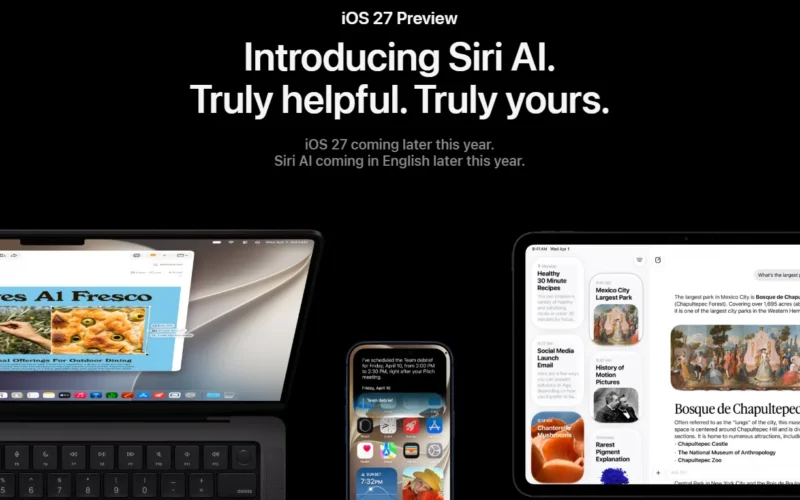
Apple’s iOS 27 Messages update is not a cosmetic refresh. From the outside, the app looks almost identical. But the iOS 27 Messages changes run deep — Siri AI now writes your replies, a drawing tool lets you sketch directly in threads, and a completely rebuilt syncing engine finally makes cross-device messaging reliable. This is the biggest overhaul to Messages in years, and it arrives with the full iOS 27 release in September 2026.
The developer beta has been running since WWDC 2026, and testers have now mapped out every meaningful change. Here is what actually matters.
Siri AI Writes and Proofs Your Messages
The flagship addition is Write with Siri — a dedicated button above the keyboard in any Messages conversation. Tap it and Siri AI can compose an entire reply from scratch, proofread what you have already written, or suggest edits based on tone. Smart Reply suggestions also adapt to your personal writing style, so responses sound like you rather than a generic assistant.
Beyond composition, Siri AI integrates directly into message search. You can ask Siri to surface images, links, phone numbers, addresses, or event details buried anywhere in your conversation history. Siri can also take action on information it finds — spotting a dinner reservation date in a thread and offering to add it directly to Calendar, for example.
Contextual Suggestions Reduce Manual Taps
Apple Intelligence now reads the context of conversations and surfaces one-tap action chips in real time. If a contact asks you to send a photo, Messages identifies the request and suggests the relevant image. If someone proposes a time to meet, a Calendar prompt appears automatically. If someone asks you to pick something up, Messages offers to create a Reminder or add the item to Notes.
Genmoji suggestions also tie into conversation context. If the chat calls for a specific reaction, Messages proposes a Genmoji you might want to generate — without you having to open the emoji picker and describe one from scratch.
These suggestions reduce the friction of acting on information that previously required you to copy text and switch apps manually. That is a meaningful quality-of-life gain for people who use Messages as a daily coordination tool.
Drawing Tool Arrives (and It Hints at the Foldable iPhone)
iOS 27 adds a Drawing interface inside Messages, accessible through the “+” menu next to the text field. The toolset mirrors the Markup interface found in Photos and Notes: marker, pen, highlighter, and eraser, with a full color palette. You send the sketch directly into the thread as an image.
On its own, a drawing tool in a messaging app is not remarkable. However, 9to5Mac notes this addition aligns suspiciously well with the forthcoming foldable iPhone — the larger inner display of a book-style foldable makes freehand sketching genuinely useful in a way a standard 6.1-inch screen does not. The feature may have been built with the iPhone Fold’s form factor in mind.
Automatic Retry and Continuous Sending
Two persistent annoyances get fixed in iOS 27. First, when a message fails to send, the app now retries automatically rather than dropping an error and waiting for you to tap again manually — a behaviour that was introduced in iOS 26 but never resolved on its own.
Second, continuous sending handles photos, videos, and texts mid-transfer if your connection drops. If you begin sending a video and lose signal, iOS 27 queues the transfer and resumes it automatically when connectivity returns. You no longer need to monitor the progress indicator and resend manually.
Syncing Finally Works Across Devices
Apple rebuilt the sync layer in iOS 27, and the result is noticeably faster and more reliable. Messages, read states, reactions, and attachments all sync across iPhone, iPad, Mac, Apple Watch, and Vision Pro in real time. According to MacRumors, fewer conversations will fail to display correctly when switching between devices — a problem that has plagued iMessage for years.
There is also a specific improvement for camera captures: when you take a photo and immediately open Messages to share it, the image now appears in the attachment picker right away rather than after a delay.
RCS and Android Interoperability Gets Better
iOS 27 extends RCS functionality for conversations with Android users. You can now long-press any message in an RCS thread to send an inline reply — a feature that previously worked only in iMessage conversations. Emoji reactions also display correctly on images and videos exchanged over RCS, fixing a visual bug that existed throughout iOS 26.
For users who communicate regularly across iPhone and Android, this matters. The gap between the two experiences narrows considerably.
Genmoji Redesigned With Iterative Editing
Genmoji creation gets a new interface in iOS 27. After generating an emoji from a text description or uploaded photo, you can now describe a change to refine it — adjusting colour, swapping elements, adding details — without regenerating from scratch each time. The system builds on the previous output iteratively, which produces more consistent results and reduces wasted attempts.
Output quality also improves overall. Genmoji now render with a 3D cartoonish style by default, closer to standard emoji aesthetics. A style toggle lets you switch to flat illustration or sketch looks if you prefer something different.
Search, Storage, and Performance
Apple improved its search index in iOS 27 across Mail and Messages. You can now search conversations by phone number or a contact’s nickname — not just their full name. Offloaded media, previously invisible in search results, now appears with thumbnails rather than blank placeholders, so you know what exists before deciding to re-download it.
Large conversation threads also load and scroll faster. Apple did not quantify the improvement, but it addresses a consistent complaint from users with years of message history in active threads.
Finally, a small but welcome change to the audio button: Settings now lets you reassign the right-side button in the text field between Record Audio, Start Dictation, or None. Removing it entirely prevents the accidental voice messages that result from a misplaced tap — something enough users have complained about that Apple finally made it optional.
What This Means for iMessage’s Position
Apple has long relied on iMessage’s exclusivity as a retention mechanism. With iOS 27, it adds a layer of AI capability that WhatsApp and Google Messages do not yet match natively — Siri composing and proofreading replies, contextual app-to-app actions triggered from conversations, and an improved Genmoji engine that makes expressive messaging feel more personal.
The RCS improvements also matter strategically. Better Android interoperability reduces one of the few friction points that pushes users toward cross-platform alternatives. Combined with the reliability fixes in syncing and sending, iOS 27 brings Messages closer to what power users have expected it to be for years. The software ships in September alongside the iPhone 18 lineup.
For more on the broader iOS 27 release, see our earlier coverage: iOS 27 Public Beta: Siri AI, Liquid Glass, and Everything New.
Frequently Asked Questions
When does iOS 27 release with the new Messages features?
Apple plans to release iOS 27 in September 2026, alongside the iPhone 18 lineup. Developer and public betas are available now for early testing.
What is the Write with Siri feature in iOS 27 Messages?
Write with Siri is a dedicated button above the Messages keyboard. It lets Siri AI compose full replies, proofread your drafts, or suggest edits — and adapts to your personal writing style for Smart Replies.
Does iOS 27 fix cross-device iMessage sync issues?
Yes. Apple rebuilt the sync engine in iOS 27 so that messages, read states, reactions, and attachments propagate faster and more reliably across iPhone, iPad, Mac, Apple Watch, and Vision Pro.
What happens if a message fails to send in iOS 27?
iOS 27 automatically retries failed messages rather than waiting for manual intervention. It also supports continuous sending — if your connection drops mid-transfer, the message resumes automatically when connectivity returns.

1 comment