Turning Video into Searchable Intelligence: How VSS Skills Power Autonomous AI Agents
NVIDIA VSS 3 introduces agent skills that let coding agents deploy, search, and analyze video archives through natural language for actionable insights.
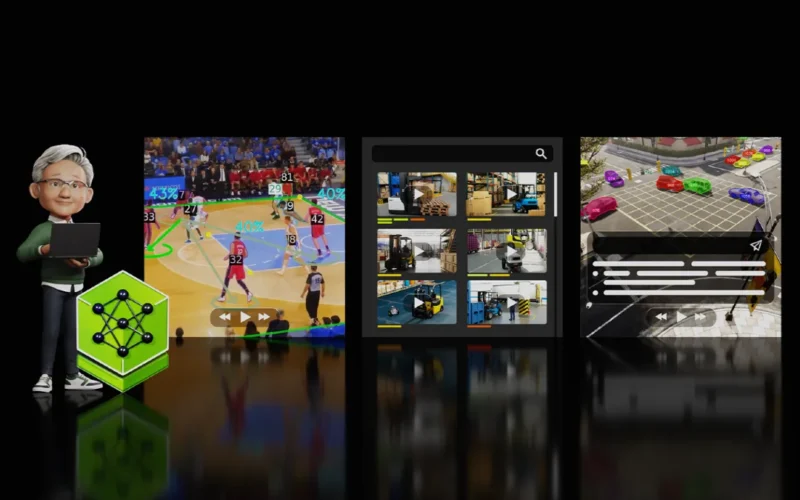
Turning Video into Searchable Intelligence: How VSS Skills Power Autonomous AI Agents
Organizations capture massive amounts of video daily. However, turning raw footage into useful data remains difficult. NVIDIA’s Metropolis Blueprint for Video Search and Summarization (VSS) solves this challenge effectively.
This system converts live streams or recorded footage into actionable information instantly. Therefore, turning video into searchable intelligence: how VSS skills power autonomous AI agents is now a practical reality for developers.
VSS provides a reference architecture for building smart video analytics agents. These agents perceive, reason, and act in real time across large video volumes. The platform combines vision microservices, vision-language models, and retrievers to deliver automated reporting.
The latest release, VSS 3, features a modular design and advanced fusion search. Crucially, it introduces new skills that let coding agents operate VSS with minimal manual setup.
Building Agents with VSS Skills
Previously, developers manually configured complex microservices for video management. Now, coding agents augmented with VSS skills automate deployment and integration through simple chat interfaces.
These skills reside on the VSS GitHub repository and follow standard agent specifications. Consequently, they work with agents like Codex, Claude Code, OpenClaw, and NemoClaw. You only need a compatible system to begin.
First, these skills streamline essential development tasks. They handle deploying profiles, uploading video, running search workflows, configuring alerts, and integrating outputs into custom applications.
Setting Up Prerequisites
The NVIDIA Brev Launchable offers the easiest preparation method. Simply click Launch Blueprint and then Deploy Launchable from the documentation page.
Next, open the notebook at /video-search-and-summarization/scripts/deploy_vss_launchable.ipynb. Paste your NGC_CLI_API_KEY and run the entire notebook, including the tear-down section.
After completion, install the Brev CLI on your host system. Then, launch VSCode and connect remotely to your Brev instance via SSH. Finally, install Codex as your coding agent through the VSCode extension marketplace.
Deploying VSS with Codex
Once installed, load Codex with VSS skills directly from the GitHub repository. Prompt Codex to self-install by reading the README and SKILL files.
Instruct it to install each skill for your host using the standard skills directory. Use symlinks rather than copying files so git updates keep installations current. Skip any skills already pointing to this checkout.
When finished, Codex lists registered skills and their directories. It can then deploy VSS components directly. For example, it can stand up the new VSS Search profile by planning deployment and launching necessary containers.
Searching Videos with OpenClaw
You can also configure OpenClaw as an autonomous agent for video analysis. First, install OpenClaw and provide context about its role.
Then, copy VSS skills into the OpenClaw workspace using standard shell commands. Launching the dashboard verifies skill access before you issue natural-language tasks.
For instance, ask OpenClaw to find workers climbing ladders without safety gear in warehouse videos. Behind the scenes, it uses VSS skills to upload footage and generate embeddings. Fusion search then surfaces relevant clips with concise reports and screenshots.
Smarter Video Search Capabilities
Large-scale video search presents unique retrieval challenges. Queries are often complex, and single visual embeddings rarely capture full semantic intent. Therefore, finding specific moments across millions of hours requires advanced methods.
VSS addresses this through multi-type embedding extraction paired with relevance filtering. Additionally, agentic search orchestration decomposes complex queries into manageable sub-queries.
The pipeline applies reasoning-based retrieval at each step. Iterative verification loops refine results continuously. RTVI-CV microservices ingest video while the VSS agent builds plans to pinpoint specific events across timelines.
A Modular Architecture for Flexibility
VSS uses a docker-compose based modular profile system. A base agent deploys in under five minutes. Additional workflows layer on top as needed.
Available profiles include Base Q&A for short clips and Alert Verification combining CV with behavior analytics. Real-Time VLM Alerts detect anomalies on live streams, while Search enables agentic multi-embedding retrieval.
Video Summarization handles chunked processing of extended recordings. Each workflow runs across multiple GPU configurations to match different performance needs.
Performance Benchmarks
For agentic search, a single H100 GPU supports 33 concurrent streams with 2.24 seconds latency. Meanwhile, an RTX PRO 6000 handles 51 streams at 1.87 seconds.
Alert verification performance varies by hardware. An H100 supports 147 concurrent streams at roughly 1.01 seconds latency. The RTX PRO 6000 manages 87 streams at 0.82 seconds.
A combined DGX Spark and AGX Thor setup supports 14 streams at 0.89 seconds. Long video summarization also scales well, dropping significantly as more GPUs join the topology.
Getting Started with VSS Skills
VSS skills help developers turn video into meaningful data using natural language. This makes surfacing insights and generating summaries much easier.
Explore the official VSS documentation and full skills catalog on GitHub to go deeper. NVIDIA Metropolis supports the broader vision AI lifecycle by pairing VSS with TAO skills for model fine-tuning.
Additionally, the Video Data Augmentation skill generates synthetic data to boost accuracy on limited datasets. As coding agents evolve, tools like these become increasingly powerful. For context on agent capabilities, see OpenAI Lifts the 5-Hour Usage Cap: What It Means for ChatGPT and Codex Users.
